

Oshi Signup: Account Creation Steps
Oshi's account form is arranged in two stages and asks for personal, contact and address details. The editorial estimate for completing the form is about 4 minutes; actual time depends on how quickly a player enters and checks their information. Age confirmation and acceptance of the Terms are required, while marketing messages use a separate choice. Email confirmation is part of the flow, and a deposit is not needed to submit the registration. Any later identity or payment review is subject to the Oshi casino website terms.
Start Playing in 3 Steps
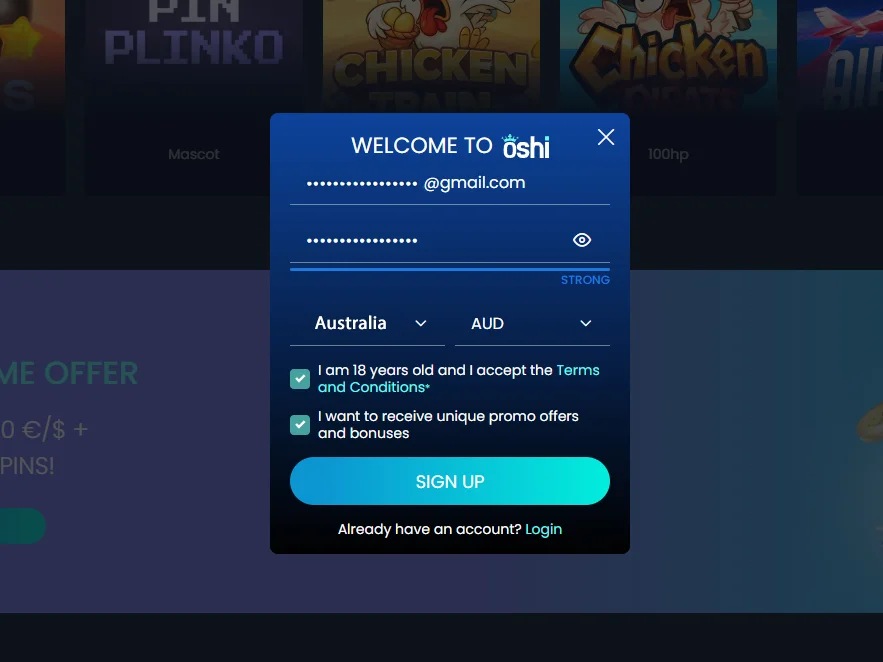
Add an email address and password, choose Australia with AUD as the account currency, and complete the required age and terms confirmations.
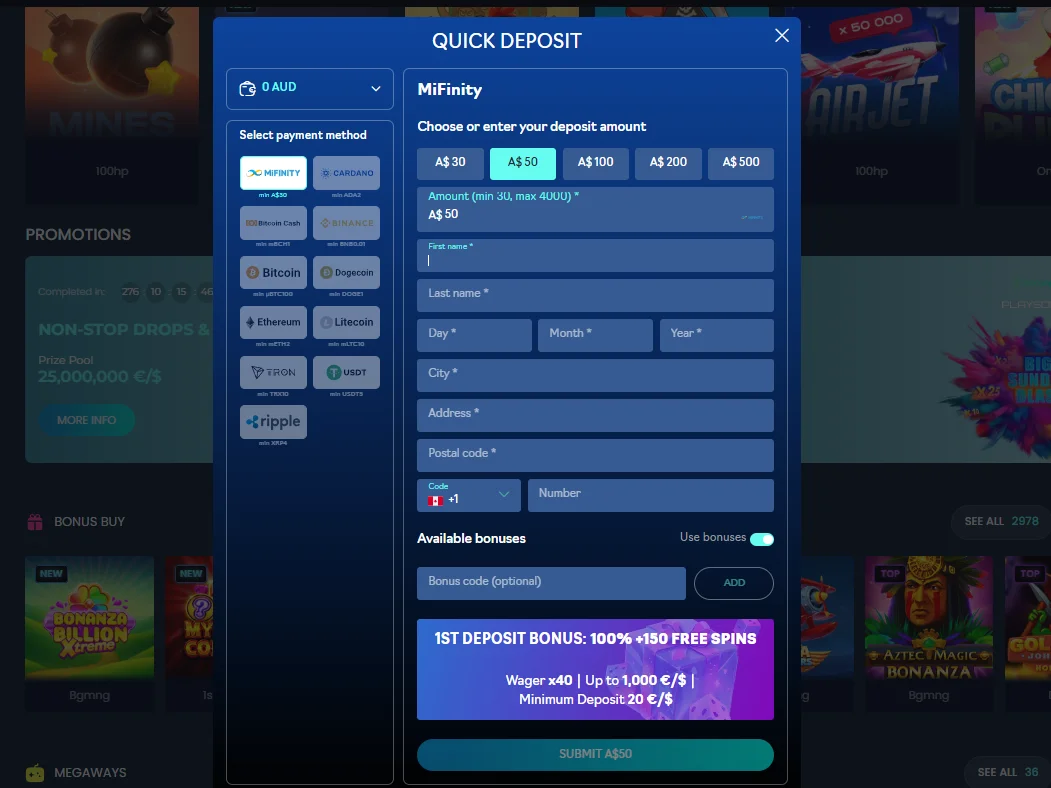
Select a cashier method, provide the requested name, birth date and address, choose a deposit amount, and review bonus availability.
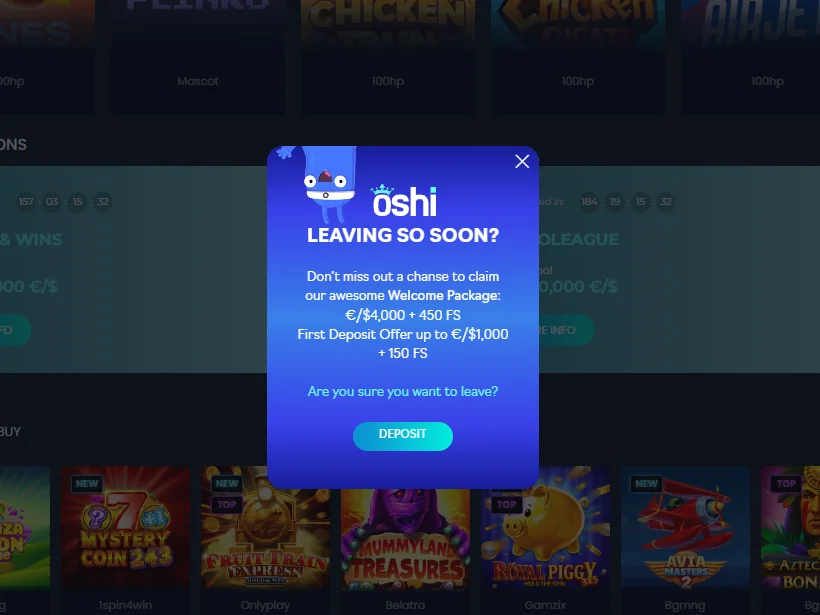
Review the welcome package in the offer window, then select Deposit to proceed with the promotion.
Signing In to an Existing Oshi Account
Use the registered email address and password to open your Oshi account. From the account area, players can reach the games, profile settings and cashier. If the password does not work, start the recovery process and follow the instructions sent to the account email.
Find the sign-in link within the main menu.
Check your details, then submit or use recovery.
A successful login moves you to the next screen.
Resetting a Forgotten Oshi Password
Players who cannot access an account can request password reset instructions using the email address on file.
- Open the sign-in screen and choose password recovery.
- Enter the email address linked to the account and send the request.
- Check the inbox and spam folder for the recovery message.
- Set a new password using the instructions, then return to sign in.
Oshi Identity Verification and KYC
Before a withdrawal is approved, Oshi may ask for identity and payment ownership documents. The published terms do not promise a fixed review timeframe, so a request can remain pending while the documents are assessed.
When a Check May Be Requested
Verification can be linked to a withdrawal, promotion eligibility, payment ownership or account detail review. These checks are conditional rather than a published step required for every account. Payment documents should show that the funding method belongs to the registered player; see the Oshi payment methods guide.
Documents That May Be Needed
- Passport, driving licence or another accepted photo ID;
- A recent utility bill or bank statement showing the address;
- A card, bank or e-wallet statement showing payment ownership.
Registration and Verification: Points to Check
Review the account details and payment requirements before registering or requesting a payout. The table summarises the main practical considerations.
| Consideration | What to Check | Suggested Action |
|---|---|---|
| Currency selection | AUD is available as an account currency | Confirm the chosen currency before submitting registration |
| Country details | Make sure the selected country matches your residence | Review the country field before completing the form |
| Verification timing | No fixed document-review timeframe is promised | Allow time for any requested checks before expecting a payout |
| Payment ownership | The operator may ask for proof that a method belongs to you | Keep relevant statements available and protect sensitive details |
| Document review | Incomplete or unclear files may delay processing | Submit readable documents that match the account information |
Preparing for Account Checks
Use accurate, matching personal and payment details. If Oshi asks for documents, follow the instructions and contact support if the required file or account status is unclear.